

DAHUA DHI-DSSPro8-Door-License

Features
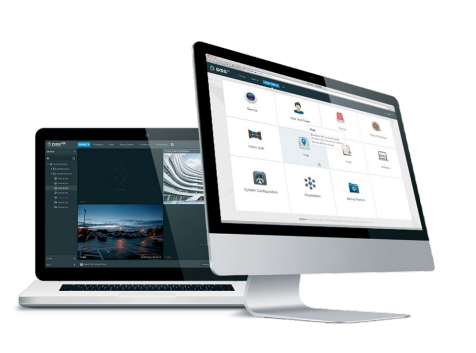
- New look for easier use
- Based on Windows ><
- provides
- Vienkārši jaunināma funkcionalitāte, izmantojot papildinājumus.
- Hot standby support for the main server Broad compatibility
- Dahua tehnoloģiju ierīces, tostarp: IP kameras (fiksētās un PTZ), NVR, DVR, MNVR, ITC ierīces un citas
- Sakari ar ONVDKPocoli ārējās platformas vai mobilo lietojumprogrammu izstrāde
jauni izstrādāts stabilitātes interfeiss un vairāk elastīgs
DHI-DSSPro8-Door-License
One DHI-DSSPro8-Door-Door-License V Profesionālie8 programmatūra, kas jāievada, lai pievienotu DSS Profesionālis8 licenci (Paplašināšanai nepieciešama DHI-DSSPro8-16Door-Base licence).
Piezīmes! Ja ieejas kontrollerim ir iebūvēta kamera, video licences ir jāiegādājas atsevišķi.
Darba vide
Operating systems:
- Serverim: – Windows 7 Ultimate (64 bitu) / Windows 10 Enterprise / Windows Server 2008 R2 / 1 standarts /li >
Par DSS mobilais klients: – iOS: iOS 8.0 vai jaunāka versija – Android: Android 4.0 vai jaunāka versija
Hardware configuration
Recommended for server:
- E5-2640 v3 procesors @ 2,60 GHz, ><0 TB RAM, 1 GB li procesors.li d DSS
- 4 portu Ethernet ports @ 1000 Mb/s
Minimālais serveris:
- E3-1220 v5 procesors @ 2,60 GHz @ 4 kodolu procesors
- 8GB RAM
- 0 GB disks, 50 TB sistēma rezervācija DSS
- Ethernet portu 2 porti @ 1000 Mb/s

Klienta datoram Ieteicams:
- Intel Core i5 procesors, 64 bit T 730
- Sistēmas disks 200 GB rezervācija klientam DSS
- 1000 Mb/s Ethernet ports
Minimums
- Intel Core i3, 64 bitu procesors,4 kodolu procesors
- 4 GB RAM
- Intel® HD Graphics 4400 grafiskā karte
- 100 GB sistēmas disks rezervēts DSS klientam.
- 1000 Mb/s Ethernet ports
DSS Pro Web Manager - Enterprise Configuration
Organizational management
• Izmantojot organizāciju, lai panāktu ierīču grupu pārvaldību
Device management
• Var inicializēt ierīces, izmantojot Dahua tehnoloģiju,
IP adrese, domēns, IP segments, auto reģistrācija (3G, 4G, DHCP)
• Dahua tehnoloģiju ierīču, piemēram, IP kameras (fiksētām un rotējošām), NVR ierakstītājiem, DVRS, DVRS, MNVR, utt.
• Spēja mainīt paroli pievienotajās ierīcēs
Atļauju un lietotāju pārvaldība
• Add, edit, and delete roles and users
/p>
• Spēja iestatīt PTZ atļaujas lietotājam
• Lietotāju var bloķēt
• Ability to import a domain user and assign them a role
pārvaldība Notikumi
• Detection of device exceptions, video events, alarm inputs and alarm hosts
• Alarm schedule: all day, week, weekend, custom
• Alarm priorities: low, medium, high
• Event response: recording, snapshot, live view, alarm output, PTZ control, schedule, delete, >
• add
>Data storage
• Central storage: expand data space using iSCSI
• Add, edit, delete, turn recording schedules on and off
• Considering central storage on the end device and recording schedule
• Backup schedule for recordings from end devices such as EVS, NVR, DVR, etc.
• Backup recordings from MDVR via WiFi
• Disk assignment: ability to group disks and assign cameras to different disk groups
creating a raster map
• Main map and lower level maps
• Ability to insert cards up to 8 levels
• Add, edit, and delete maps and sub-maps
• Adding, editing and deleting devices (cameras, alarm inputs) on the map • Ability to enable/disable Screen p>• Linking the POS channel to the corresponding cameras
Object management
• Facial recognition library management
• Adding face templates and entering personal information
Vehicle blacklist
• Vehicle blacklist management
• Vehicle blacklist management
• Updating and systematization >
• General and detailed information about the system
• Operational status: processor, data memory, bandwidth
• Online information about services, devices and users, device status overview
• Statistical information about events: total number of events, number of events processed
• Source information: video channels, alarm channels
Magazines
>System backup and recovery
• Automatic system data backup (daily, weekly, monthly)
• Manually backing up system data
• Restoring system data from a server or local copy
Other features
• https support
• Device and server time calibration
C b>Live view
• POS transaction overlay on image
• POS transaction overlay style configuration
• Map view in live view window
• Panorama smart tracking in modes: camera
fixed + dome camera, 2 x fixed camera
+ dome camera, playback
p>
Video filtering: normal, motion, alarm, video loss, sabotage
• Synchronous playback
• Reverse playback
• Fast and slow forward playback
• Frame-by-frame playback
• Lock or mark an important entry in the central
video storage.
video storage >
Download Center
• Downloading records from central storage or end devices
• Download recordings by time, file or tag
• Support multi-task downloading
• Support DAV and AVI
Events
• Display of alarm event information, including:
alarm time, alarm name, alarm status, etc.
• Show live or snapshots from assigned camera
• Alarm event confirmation
• Alarm activation control
• For alarm event transmission
••P> Alarm event handling
• Alarm event search
Video wall
• Real-time video decoding in video wall
• Decoding playback recordings in a video wall
• Automatic/manual decoding in video wall
• Configuring video wall splitting
• Changing the channel type
• videos
• Adding fields,
Screen on/off and background display
• Video channel switching
• Schedule: can organize tasks on a timeline
• Switching plan: can perform loop tasks and set the loop time.
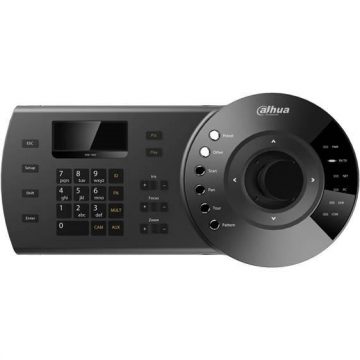
• Support NKB keyboards to control the video wall.
Map
• Quickly zoom and play Add a video to a video wall
• Calculating area or distance on a GIS map
• Supports visible range and starting angle
• Channel flashing in case of alarm
Intelligent tracking
• Using a fisheye camera or dome camera
Census and map
Heat
• Entry and exit counting statistics
• Search for people by counting data by time
• Generate daily, weekly, monthly reports
• Heatmap search
• Export census and heat map data.
Face recognition
• Automatic face recognition and capture time display
• P> >
• Fast registration of unknown/new faces in the database
• Similar face search
• Text search
• Manual recordings
• Trail search: generate tracks based on artificial
displaying captured faces
ANPR
• Vehicle traffic records and license plate recognition records.
Real-time license plate recognition results
• Search historical vehicle routes
• Route search: route generation based on license plate numbers and weather information
• Manual recordings
Violations
• Search for vehicle violations
• Play PT violation recording
p>
• When the radar detects an object, the camera rotates to the specified position.
Business analysis
• Summary: orders, sales, visits, custom deals, KPIs, rate input, Top 10 list
• Number of people: number of people entering, entry level, customer
area
• Transaction statistics: product price, sales growth, sales volume,
orders
• Sales statistics: sales volume, sales year-on-year
• Order statistics: orders, orders
years
Additional information
| Svars | 0,0100 kg |
|---|
Related Products