

DAHUA DHI-DSSPro8-WMD-Device-License

Key features of DSS Professional V8 software
- Jauns izskats ērtākai lietošanai nodrošina jauno
- Windows saskarni. Ērtākas augsta stabilitāte un elastība darbībā
- Viegli palielināt veiktspēju, pateicoties izplatītajiem aparatūras paplašinājumiem
- Viegli atjaunināt funkcionalitāti, izmantojot papildinājumus
- Atbalsts karstā gaidīšanas režīmā galvenajiem servera plašajiem saderību Komunikācija ar trešo pušu ierīcēm, izmantojot ONVIF protokolu
- Iespēja nodrošināt DSS Pro SDK ārējai platformai vai mobilās lietojumprogrammas izstrādei
Atsevišķs Pārejas ierīce DSS Professional V8 programmatūrā.
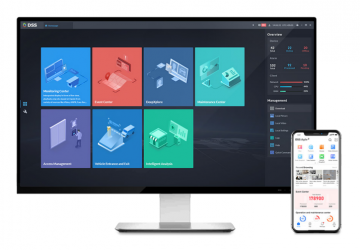
DSS Professional is a centralized management system designed for large-scale industrial applications. It provides centralized video surveillance, access control, video intercoms, alarm controllers, POS and DAHUA radar systems.
In addition to security applications, DSS Professional offers solutions for various industries such as parks, retail chains, banks, oil and gas, logistics and many more.
Description:
- With an additional license, this product is easily scalable to 1000 cameras, 500 doors and 2000 video intercoms. 1000 ACS channels
- Number of VDPs per server 2000
- Number of ANPRS per server 500 (60 input/60 output)
- Purchase other licenses on demand
- Easy upgrade
DSS Pro multi-module software with high flexibility for professional solutions
DSS system assumptions
The DSS platform can implement various scenarios of video integration, access control or artificial intelligence functions. The system offers the end user a comprehensive solution and streamlines daily work.
The system capabilities are very cost-effective. meets the growing requirements of our customers. It offers channel licensing, as well as the ability to expand with additional modules.
Security
The DSS platform was developed by a dedicated and professional R&D team under the principle of “Security by Design, Development and Verification”. It complies with various international standards for application security, data security, network security and privacy security.
Openness
We are constantly striving to collaborate with external partners to provide users with more and more options and services.
At the same time, DSS, as a customer-centric system, provides customization at every level to meet the different implementation phases and complexities.
requirements class=”row”>
 2-6 work:
Operating systems:
- For Server:- Windows 7 Ultimate (64-bit) / Windows 10 Enterprise / Windows Server 2008 R2 Standard
- For PC client: – Windows 7 / Windows 8.1 / Windows 10
- For DSS mobile client: – iOS: iOS 8.0 or later – Android: Android 4.0 or later.
“>
Hardware configuration:
Recommended for server:
- Processor E5-2640 v3 @ 2.60 GHz, 8-core processor
- RAM 16 GB
- System drive 1 TB, 500 GB port 1 TB, 500 GB port 0 for DSS port
Mb/s
For the server:
- Processor E3-1220 v5 @ 2.60 GHz @ 4-core processor
- RAM 8 GB
- System disk 1 TB, 500 GB reserved for DSS
- Ethernet port 2 port /v/0>
Recommended for PC client:
- Intel Core i5 processor, 64-bit, 4-core processor
- RAM 8 GB
- Graphics card NVIDIA® GeForce®GT 730 >< GB rezervēts disks 0 Ethernet klientam
GB Mb/s
For the client's personal computer:
- Intel Core i3 processor, 64-bit, 4-core processor
- 4GB RAM
- Intel® HD Graphics 4400 graphics card
- 100 GB system disk reserved for DSS client.
Ethernet client
Key features:
DSS Pro Web Manager - Business Configuration
organizations
management to achieve device management. Ability Dahua Technology device initialization
• Adding devices using auto-discovery, IP address, domain, IP segment, auto-registration (3G, 4G, DHCP)
• Management of Dahua technology devices such as IP cameras (fixed and rotating), NVRS, DVR, MNVRS, etc. and users
• Roles and users and users
• assigning and deleting various roles. P>
• Ability to import a domain user and assign them a role
event management
• Device exception detection, video events, alarm inputs and host alarms
• Alarm schedule: all day, week, weekend, custom
• Alarm priorities: low, medium, high
• Event response: recording, snapshot, live output, PTZ control, video wall, email
• Add, edit, delete, enable and disable alarm schedules using
SIp>• Add SC storage,
, delete, enable and disable recording schedule
• Include central storage on the end device and recording schedule
• Backup schedule for recordings from end devices such as EVS, NVR, DVR, etc.
• Backup recordings from MDVR via WiFi
• Disk Assignment: Group disks and assign cameras to different groups. disks
Map
• Online and offline Google Maps support, raster map creation
• Main cards and lower level cards
• Ability to nest cards up to 8 levels
• Add, edit, and delete maps and sub-maps
• Add, edit and delete devices
Video wall
• Add and manage a video wall.
• Screen ID can be turned on/off
• Support screen linking on one screen
• Decoded channel and screen linking function
Resource linking
• IVS-F (Intelligent Video Management Server for Face Recognition Camera) with specified POS
POS
• Facial recognition library management
• Adding facial features and entering personal information
Vehicle blacklist
• Vehicle blacklist management
• Updating and editing vehicle blacklist System maintenance
Statistics
• General and detailed system information
• Operational data, C: PU. bandwidth
• Online information about services, devices and users, device status overview
• Statistical information about events: total number of events, number of events processed
• Source information: video channels, alarm channels
Magazines
• System logs, web manager, computer >< customer management
• Automatic data search and export
, once a week, once a month)
• Manually backing up system data
• Restoring system data from a server or local copy
Other features
• https support
• Device and server time calibration
Client-1 Pro Live view
• POS transaction overlay on image
• POS transaction overlay style configuration
• Map view in live view window
• Panorama smart tracking in modes: fixed + PTZ, 2 x fixed + PTZ
Playback, recording, central storage devices, filter from p. video loss,
• Synchronous playback
• Reverse playback
• Fast and slow forward playback
• Frame playback
• Lock or mark important records in central storage
• Download specific tracks, supported formats: AVI and DAV
• Decode the video to the video wall.
Download Center by time, file, or tag
• Support multi-task downloading
• Support DAV and AVI formats
Events
• Display alarm event information, including:
alarm time, alarm name, alarm status, etc.
• Show live image or snapshots from assigned Cameras
• Alarm event confirmation
• Alarm event activation control
• Forwarding the alarm to the appropriate user
• Sending alarm emails
• Alarm event handling
• Alarm event search
Video wall
• Real-time video recording
• Real-time video decoding to video wall decoding to video wall
• Video wall split configuration
• Changing the video channel stream type
• Adding a field, turning on/off the screen, and displaying the background
• Video channel switching
• Schedule: can organize tasks performed on a timeline
• Switch tasks and set a time loop. loop
• Support NKB keyboards to control the video wall.
Map
• Preview and playback on the map
• Zoom in and out
• Quickly decode video to video wall
• Calculate area or distance on a GIS map
• Support visible range and starting angle when channeling
• Using a fisheye camera or dome camera
Census
• People counting and heat map
• Entry and exit count statistics data
• Search for people by counting data by time
• Generate daily, weekly, monthly report
• Heatmap search
• People counting and heat map data Export
facial recognition
• Automatic face detection in the camera's field of view
• Real-time face detection and recognition information Demonstration
• Need to quickly register unknown/new > • Manual entries
• Trail Search: Generate a trail based on an artificial display of captured faces
anpr
• Real-time vehicle traffic records and license plate recognition
• Search historical license plate. Manual entries
Violations
• Search for information about vehicle violations
• Play the video of the violation
Intelligent radar tracking
• Radar and dome camera link
• When the radar detects an object, the camera rotates to the specified position
Custom business, sales, order, rate record, top 10 list
• Number of people: number of people entering, entry level, area customer
• Transaction statistics: product price, sales growth, sales volume, orders
• Sales statistics: sales volume, sales over the years
• Order statistics: orders, orders year over year
route generation based on license plate numbers and time information
• Manual recordings
Violations
• Search for information about vehicle violations
• Playing the violation recording
Intelligent radar tracking
• Connecting radar and dome camera
• When the radar is rotated, the position of the object
•
• Summary: orders, sales, visits, custom deals, KPIs, rate record, top 10 list
• People counting: number of people entering, entry level, area customer
• Transaction statistics: product price, sales growth, sales volumes, orders
• Sales statistics: sales volumes, sales statistics for the year
orders per year
> orders
>
route generation based on license plate numbers and time information
• Manual recordings
Violations
• Search for information about vehicle violations
• Playing the violation recording
Intelligent radar tracking
• Connecting radar and dome camera
• When the radar is rotated, the position of the object
•
• Summary: orders, sales, visits, custom deals, KPIs, rate record, top 10 list
• People counting: number of people entering, entry level, area customer
• Transaction statistics: product price, sales growth, sales volumes, orders
• Sales statistics: sales volumes, sales statistics for the year
orders per year
> orders
>
Additional information
| Svars | 0,0100 kg |
|---|